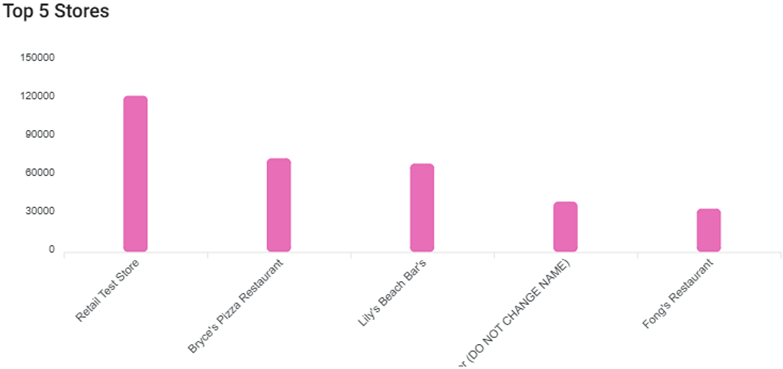
Back Office: Enterprise - Home
Sign
into the Back Office.
On
the left-side Navigation Panel, click Enterprise.
For
a moment, your data will load while the banner ‘Please wait while
preparing your enterprise metrics’ appears.

- Then, the Enterprise
page appears. On
the Enterprise page, narrow your data results from the dropdowns:

Filter by: Stores, Group, State,
City, or Zip Code.
Selected [Filter By]: Make selections
based on the Filter By selection.
Time Period: If Specific date or Date
range, select from the calendar view.
Click
Apply. The ‘Please wait…’ banner appears again, and the
colorized tiles will have spinning circles next to them to indicate loading.

When
complete, all the colorized tiles will have updated numbers next to them.
Scroll down to view updated data from the following data:
Sales By Store Table
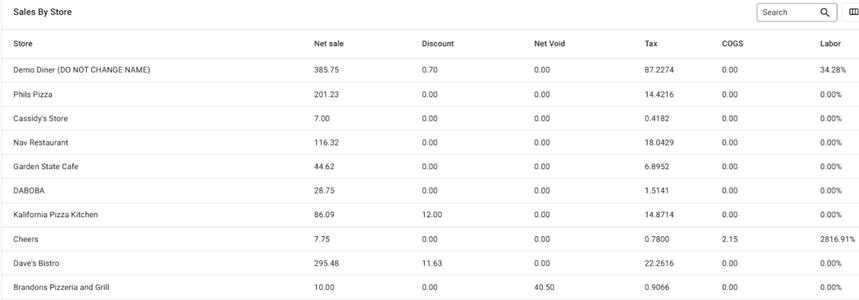
Net
Sales By Hour
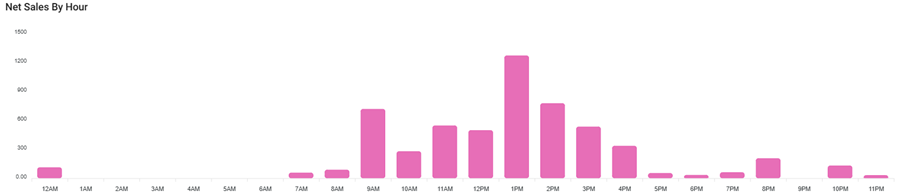
Sales
Per Order Type
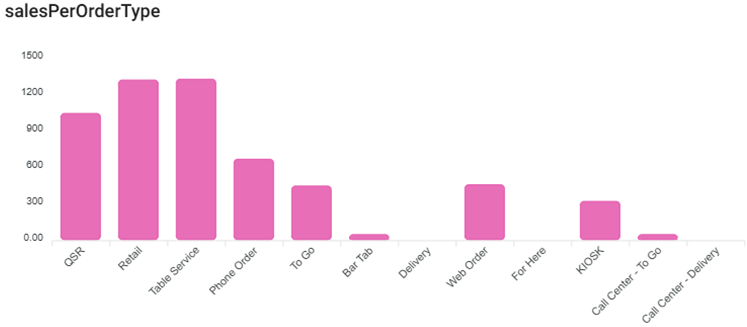
Top 5
Categories
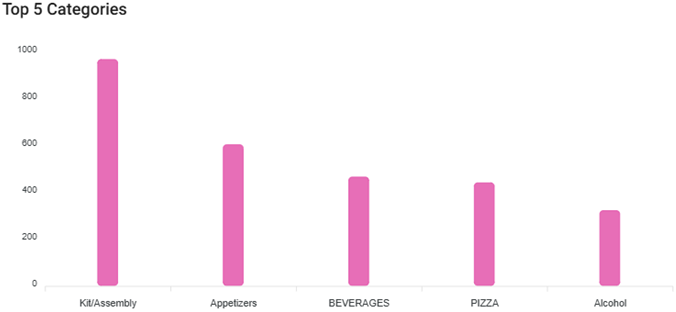
Top 5
Items
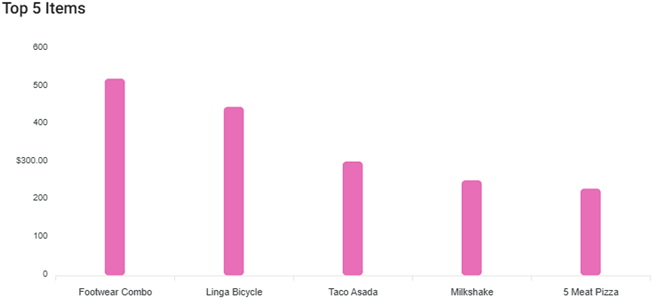
Top 5
Stores