Retail Back Office: Inventory - Inventory Item
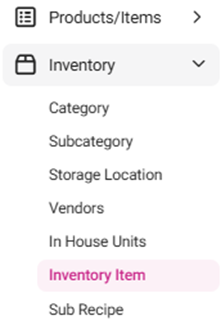
Navigation: Sign into the Back Office for your Retail Store, then select Inventory > Inventory Item, then select the Retail Items tab.
The Retail Items tab displays a table along with the Total Value On Hand. The table contains the created Retail Inventory Items with the following columns:
- Tip: Make sure you have applied settings for the following Inventory pages: Category, Subcategory, Storage Location, Vendors and In House Units.
- Name – Name of the inventory item.
- SKU Code – The SKU Code of the inventory item.
- Category – The chosen category for the inventory item.
- Par Level – The entered par level for the inventory item.
- Latest Received Price/Unit – Displays the latest unit price for this store (configured in Enterprise > Inventory Costing).
- Purchase Unit – The chosen purchase unit for the inventory item.
- Selling Price/Unit – The selling price of the inventory item.
- Quantity on Hand – The overall quantity on-hand (Parent and Child).
- Cost Per Unit – The value of individual items (Parent and Child).
- Value on Hand – The price of the stock available.
- Actions – Buttons for Edit (pencil) and Delete (trash can).
- Delete– The Delete pop-up including the message ‘Are you sure you want to delete this item’ appears, with Cancel and Delete options.
- Select Delete and the Inventory Item is sent to Inactive status with a ‘Inventory Item inactivated successfully’ confirmation message appearing.
- Select Cancel, and the Inventory Item is kept in Active status.